4 Best Free Certificate of Employment Templates
A Certificate of Employment has one job: convince a third party — a bank officer, an embassy clerk, a landlord — that the facts on the page are accurate and officially issued. That means the template needs to do more than look tidy. It needs space for employment type, start and end dates, a purpose clause, a salary line, and a clearly positioned signatory block, all without feeling cluttered. The design also has to project institutional credibility, because the person reading it isn't the employee — it's someone deciding whether to trust the document.
What to Look For
- A signatory block with room for title and company name — a name alone isn't sufficient; the authorized signatory's designation and the company's registered name must appear clearly, and the template needs to accommodate both without squeezing
- Dedicated space for the purpose clause — "issued for the purpose of..." is a mandatory field for most bank and visa submissions, and it needs its own line rather than being crammed into a catch-all notes area
- Typography that reads as official, not celebratory — serif fonts and restrained layouts signal document authority; script fonts or decorative flourishes undercut the credibility the certificate is meant to convey
- A QR code field already positioned — employment certificates are increasingly verified digitally by receiving institutions, and retrofitting a QR code onto a template that wasn't designed for one creates layout problems
- Enough vertical space for variable-length fields — job titles, company names, and purpose clauses vary widely in length; templates with fixed short text boxes will break when the actual content doesn't match
1. Classic Ornate Border Portrait Certificate of Employment
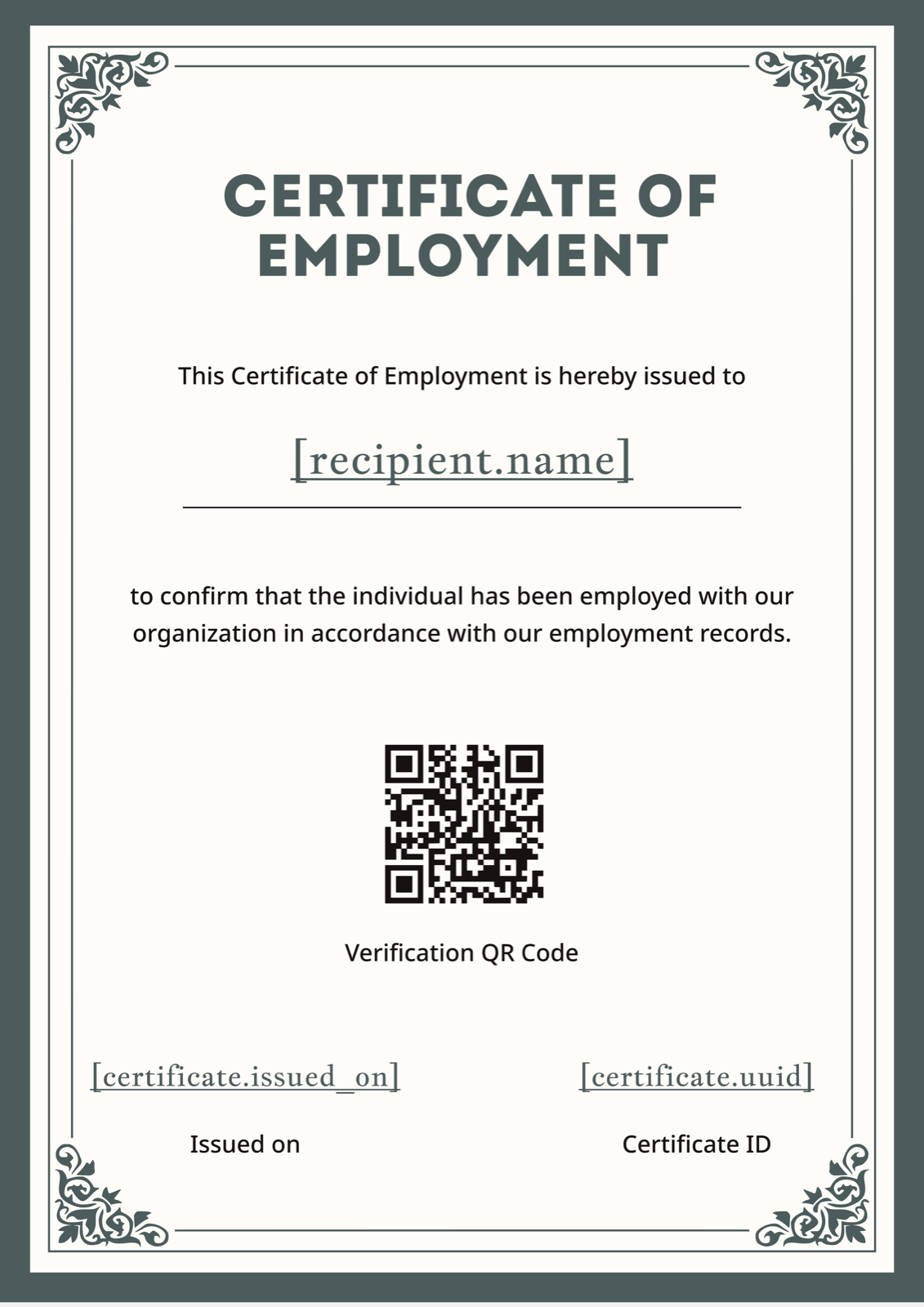
The ornate dark corner borders and off-white background give this portrait template the look of a notarized document rather than a corporate printout — which is exactly what receiving institutions respond to when an employee submits it for a visa or mortgage application. Serif typography throughout keeps the tone formal without tipping into decorative. Government bodies, legal firms, and any organization that regularly issues certificates destined for embassies or regulatory agencies will find this format reads as authoritative on arrival. To push the formality further, swap the default font to a heavier-weight serif and add your organization's official seal above the signatory line.
Browse the Certificate of Employment template gallery →
2. Blue Gold Badge Landscape Certificate of Employment
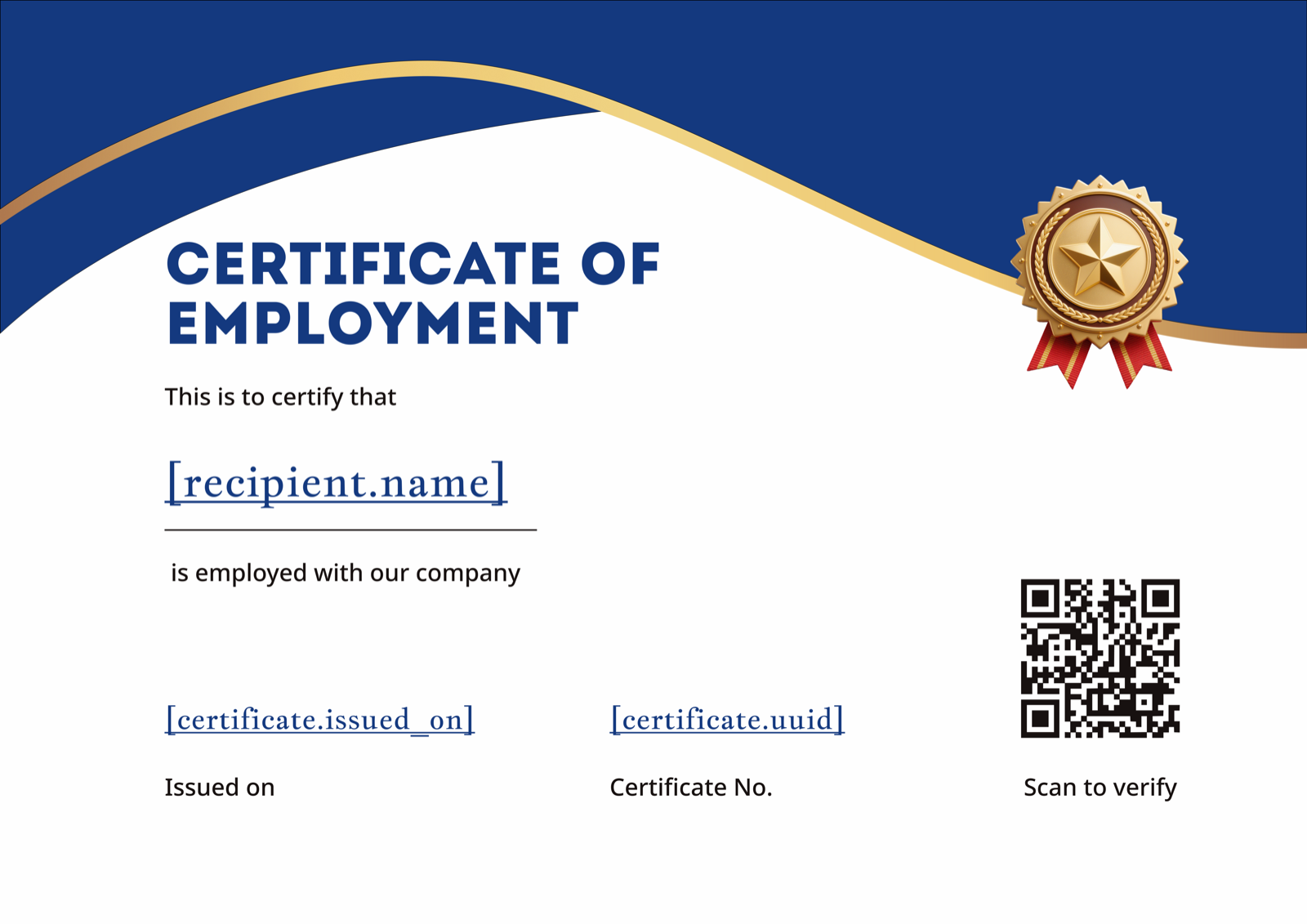
Navy blue header with sweeping gold accent curves and a centered gold star badge makes this landscape template feel deliberately corporate — the kind of document that comes out of an HR department with a brand identity, not a one-person business printing from Word. The wide landscape layout gives more horizontal breathing room for longer job titles and multi-line purpose clauses, both of which tend to overflow on narrower portrait formats. It's a strong fit for mid-sized companies and staffing agencies that issue certificates frequently and want a consistent, recognizable look across every issuance. Swap the navy for your company's primary color and the gold accents will adapt without clashing.
Download from the Certificate of Employment template gallery →
3. Red Gold Mountain Portrait Certificate of Employment
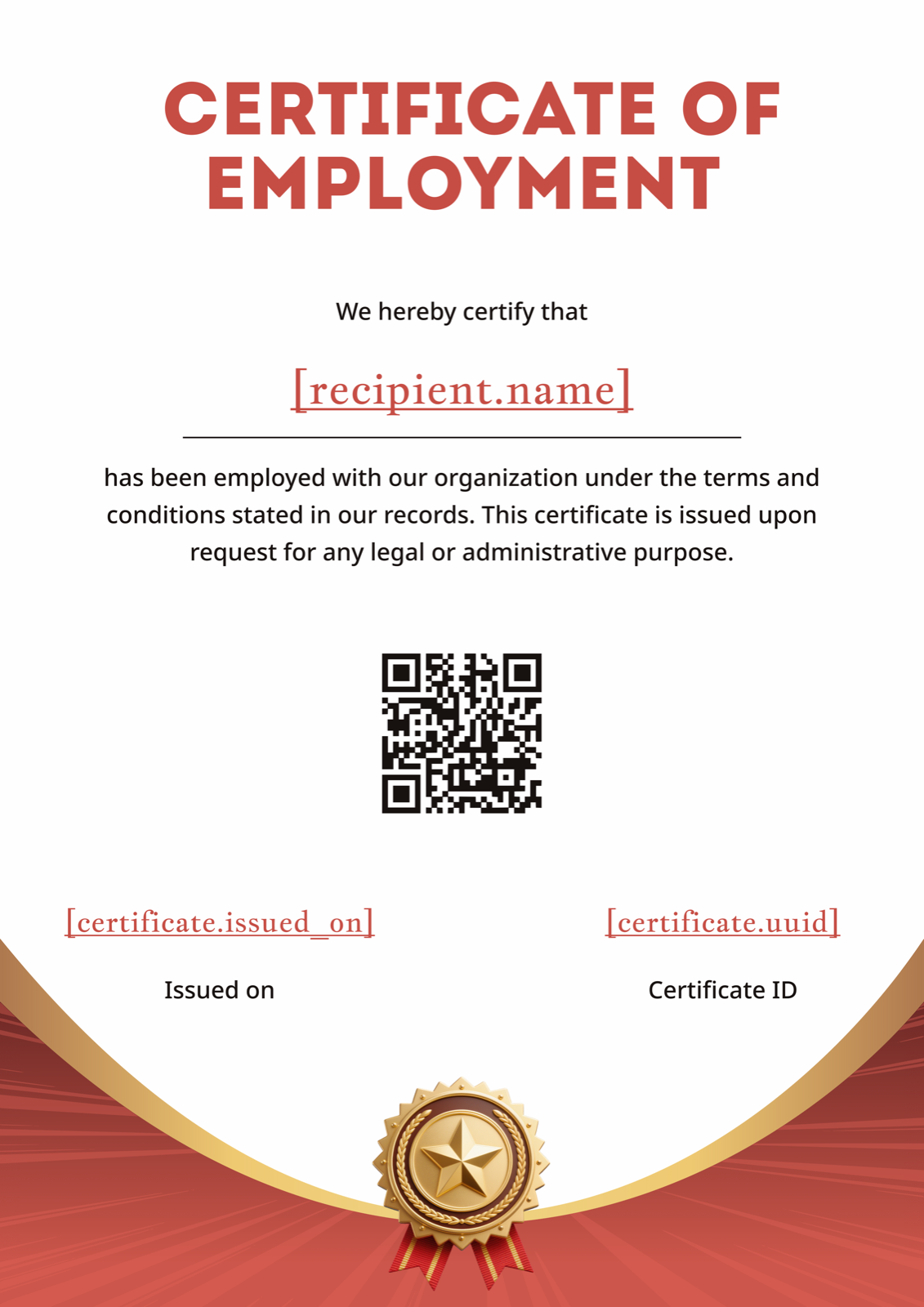
The red mountain terrain footer is an unusual choice for an employment certificate — and that's what makes it work for a specific set of issuers. Construction firms, engineering consultancies, outdoor industry employers, and companies with a strong brand identity built around boldness will find this template lands differently than a standard navy-and-white layout. The warm red accent colors and gold star badge keep it looking official, while the centered serif typography maintains the formal register the document requires. If red is too strong for your brand, the footer illustration recolors cleanly in Figma — convert it to your corporate color and the rest of the layout holds.
View this template in the Certificate of Employment gallery →
4. Blue Teal Wave Landscape Certificate of Employment
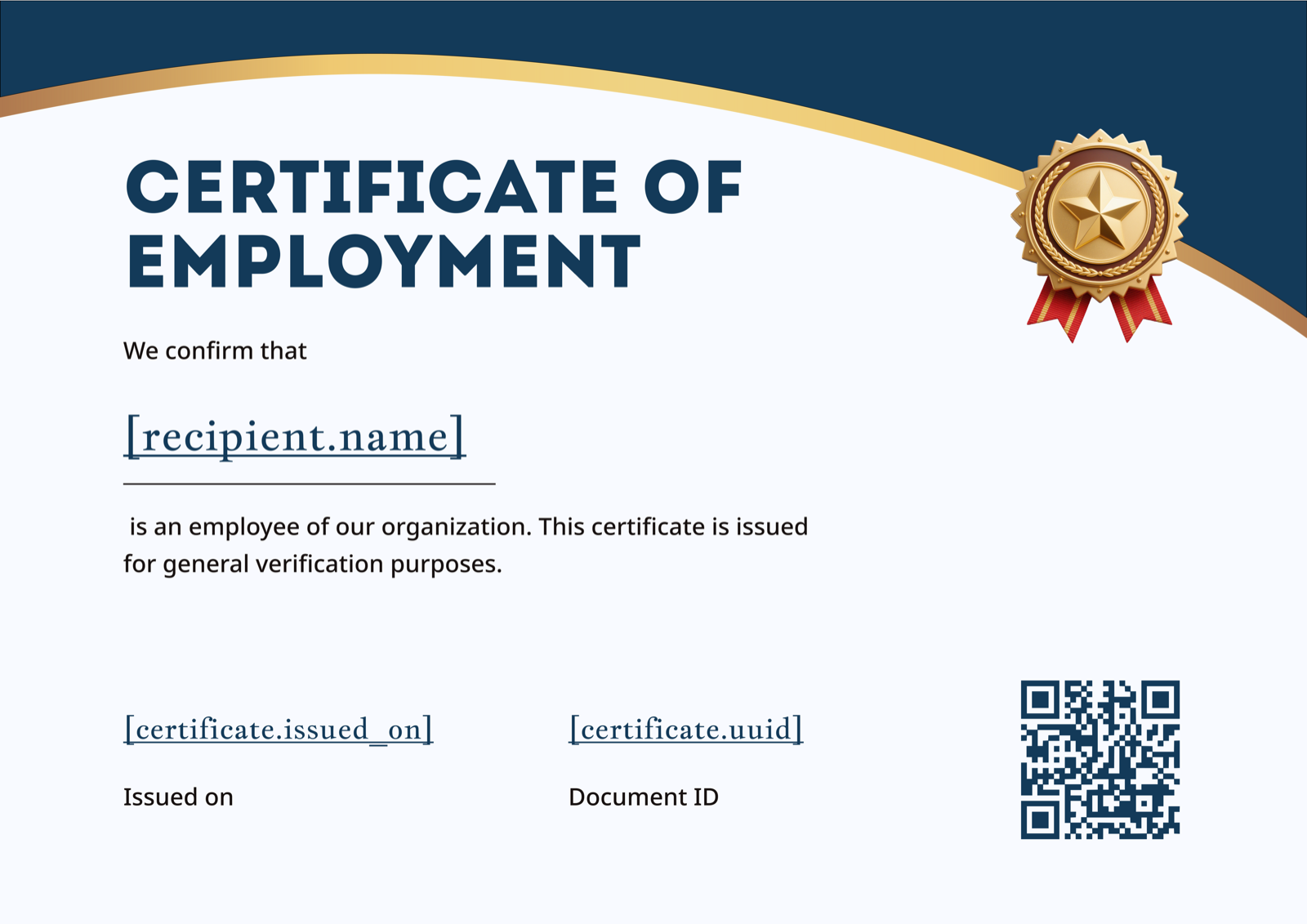
Where the other templates in this list lean into traditional document aesthetics, this one takes a cleaner approach: dark blue and teal wave header, white background, left-aligned typography, and a layout that prioritizes scanability over ornamentation. That makes it the most practical choice for tech companies, startups, and professional services firms whose brand identity doesn't suit heavy borders or gold flourishes. The left-aligned field structure also makes it easier to add multiple lines of employment detail — useful when the purpose clause or job title runs long — without disrupting the visual balance. The gold star badge and built-in QR code area keep it looking issued rather than self-generated.
View this template in the Certificate of Employment gallery →
Making It Your Own
Swapping in your logo, adjusting the color scheme, and updating the signatory block are the minimum changes before any certificate goes out — a generic template with placeholder text that wasn't fully replaced will get flagged immediately by a receiving institution. The step-by-step certificate creation guide covers the full customization process across Word, PDF, and Figma formats. Once the design is right, the wording needs the same attention — purpose clauses, employment type phrasing, and salary disclosure language all have specific conventions worth getting right. The Certificate of Employment wording guide has formal and casual examples across common scenarios including loan applications, visa submissions, and tenancy agreements.
If you're issuing certificates one at a time, downloading and editing a template manually works fine. When the volume picks up — multiple requests a week, different employees needing different purpose clauses — the manual process gets inconsistent fast. The full Certificate of Employment template gallery has every format covered, and CertFusion lets you connect a template to your employee data and generate verified, QR-coded certificates on demand, with a consistent layout every time. For organizations that issue frequently, that's the difference between a process and a problem.
For more template options beyond these four, browse the complete collection in the Certificate of Employment for HR verification free download examples article.
Table of Contents
Related Articles
Discover more insights and stories that might interest you