Upload a CSV, pick a template, and generate personalized certificates for every recipient at once — no design tools, no manual work, no per-certificate fees.
Only need one? Use our free certificate generator — no signup required.
Bulk Generate Certificates in 3 Easy Steps
Step 1: Choose or Design Your Template Pick from 100+ ready-made certificate templates or drag-and-drop your own design. Add your logo, signatures, brand colors, and dynamic fields like {name}, {course}, or {date}.
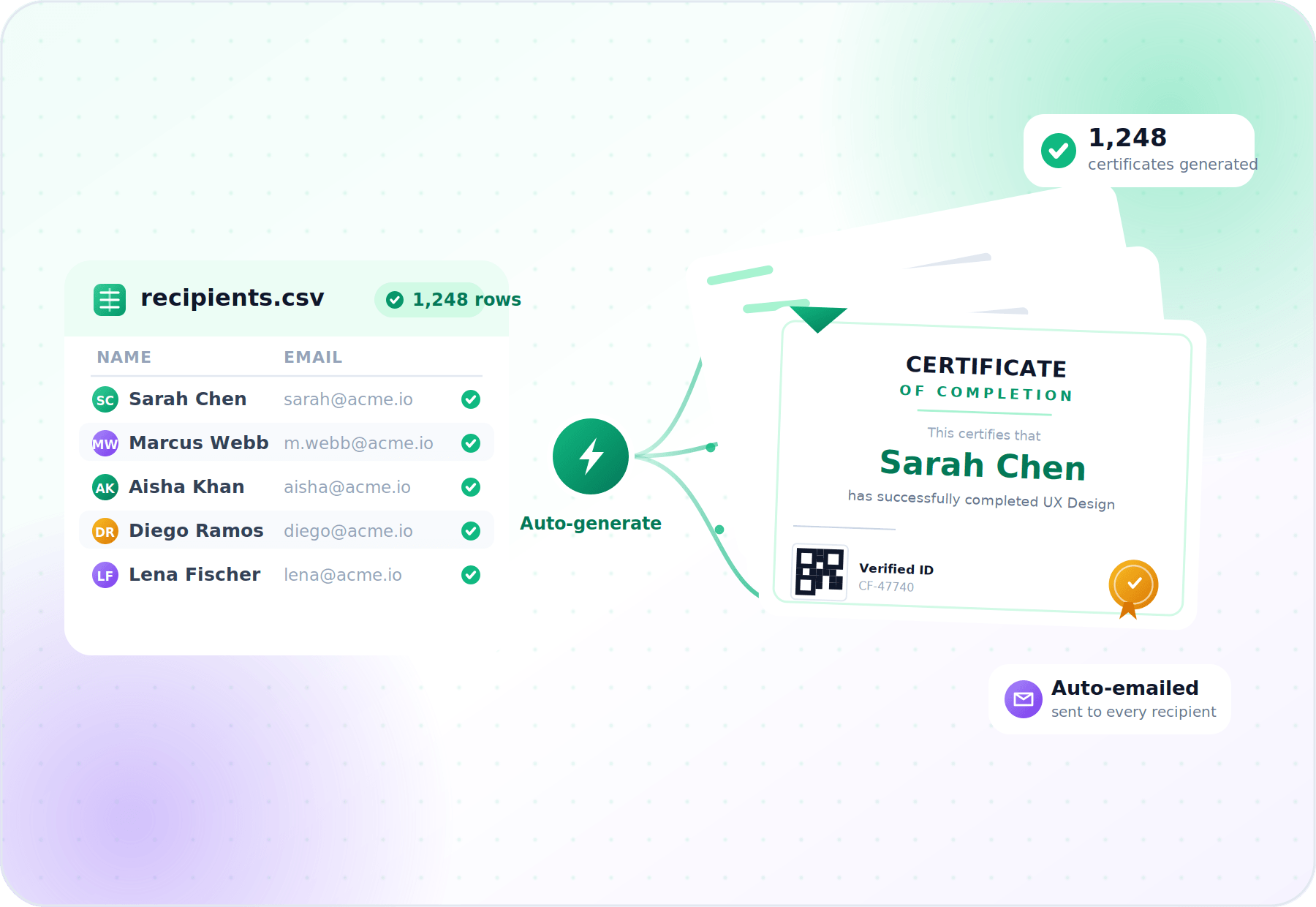
Step 2: Upload Your Recipient List Import a CSV or Excel file with your recipients. Map columns to certificate fields once — every row becomes a personalized certificate automatically.
Step 3: Generate & Send in Bulk Issue all certificates with one click. Email them out automatically, share a single download link, or export every PDF/PNG as a single ZIP.
Why Choose CertFusion's Bulk Certificate Generator?
Unlimited Recipients per Batch - Issue 10, 1,000, or 100,000 certificates in a single run. No per-certificate fees, no throttling.
CSV / Excel Import - Upload any spreadsheet — names, emails, course names, scores, dates. Map columns once, reuse the mapping forever.
Automated Email Delivery - Every recipient gets a branded email with their personalized certificate and a unique verification link — sent the moment the batch finishes.
QR Codes & Tamper-Proof Verification - Each certificate gets a unique ID and QR code. Recipients (and their employers) can verify authenticity at any time.
Form & Webinar Integrations - Auto-issue certificates from Zoom, Google Meet, Webex, Typeform, Tally, and Google Forms — no CSV needed.
Bulk Download as ZIP - Prefer to print or distribute manually? Export the entire batch as a single ZIP of PDFs or PNGs.
Branded Claim Pages - Give recipients a hosted page to view, download, and share their certificate — branded with your logo and domain.
Who Uses CertFusion to Generate Certificates in Bulk?
Frequently Asked Questions About Bulk Certificate Generation
There is no per-batch limit. CertFusion routinely handles batches of tens of thousands of certificates — your monthly plan governs total volume, not batch size.
Standard CSV or Excel (.xlsx) files work out of the box. As long as your spreadsheet has columns for name, email, and any custom fields you want on the certificate, you're ready to upload.
Yes. Every column in your CSV becomes a dynamic field. Names, courses, scores, dates, completion times, instructor names — any value can be merged into each individual certificate.
Yes. Once a batch is generated, CertFusion emails every recipient automatically with their personalized certificate and a unique verification link. You can also use your own SMTP for fully branded delivery.
Yes. Every batch can be exported as a single ZIP containing all certificates as high-quality PDFs or PNGs, ready to print or distribute manually.
Yes — no CSV needed. Connect Zoom, Google Meet, Webex, Typeform, Tally, or Google Forms once, and CertFusion will auto-issue certificates to every attendee or respondent.
Every certificate, regardless of batch size, gets a unique ID, QR code, and hosted verification page so anyone can confirm its authenticity online.
No. CertFusion uses simple monthly plans with generous monthly recipient limits. There are no per-certificate fees and no surprise overage charges within your plan.
Yes. Every recipient is stored individually, so you can fix a typo, re-send an email, or regenerate a single certificate without touching the rest of the batch.