How to Trigger Automatic Certificates Based on Tally.so Quiz Scores
Introduction
This tutorial shows you how to automatically issue certificates to users who pass a quiz created with Tally.so. The best part? This entire workflow uses Tally's free version—no paid Tally plans, no Zapier, no Make, and no other third-party automation tools required. By combining Tally's built-in calculated fields and conditional logic with CertFusion's Tally integration, you can create a fully automated certificate delivery system—no coding required.
📺 Prefer video? Watch the full tutorial on YouTube: How to Trigger Automatic Certificates Based on Tally.so Quiz Scores
What You'll Need
- A free Tally.so account
- A CertFusion account
How It Works
The solution uses two Tally forms that work together. The Main Quiz Form calculates the user's score and conditionally redirects passing users to a Certificate Claim Form. The Claim Form is connected to CertFusion, which automatically generates and delivers the certificate when submitted.
Overview of Steps
- Create the Certificate Claim Form in Tally (linked to CertFusion)
- Create the Main Quiz Form with scoring logic
- Configure CertFusion to connect with the Claim Form
- Test the complete workflow
Part 1: Setting Up Tally Forms
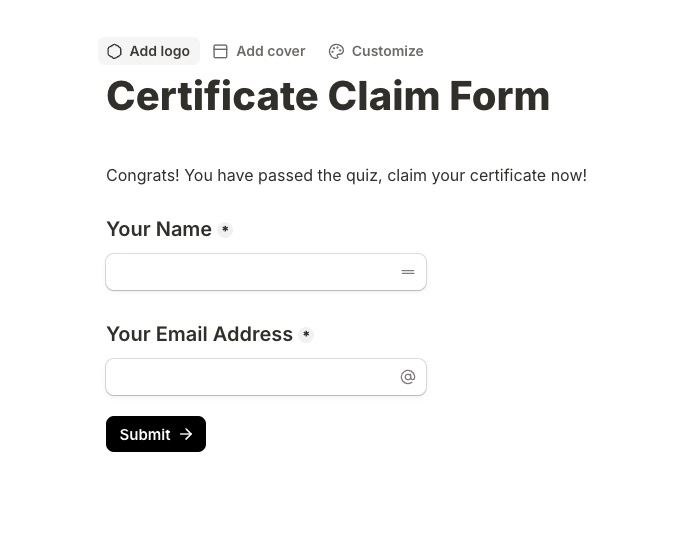
Step 1: Create the Certificate Claim Form
This is a simple form that collects the recipient's name and email for certificate generation. Users only see this form after passing the quiz.
- Log in to Tally.so and create a new form
- Name it "Certificate Claim Form"
- Add a congratulatory message: "Congrats! You have passed the quiz, claim your certificate now!"
- Add a "Your Name" field (required)
- Add a "Your Email Address" field (required)
- Add a Submit button
- Publish the form and copy its URL (you'll need this for the quiz form)
Step 2: Create the Main Quiz Form
This form contains your quiz questions, calculates the score, and redirects passing users to the Claim Form.
Basic Form Setup
- Create a new form and name it "Main Quiz Form"
- Add a description: "This is the test quiz form."
- Add your quiz questions as multiple choice fields
Add Calculated Fields
Tally's calculated fields allow you to track scores and control redirects without any premium features.
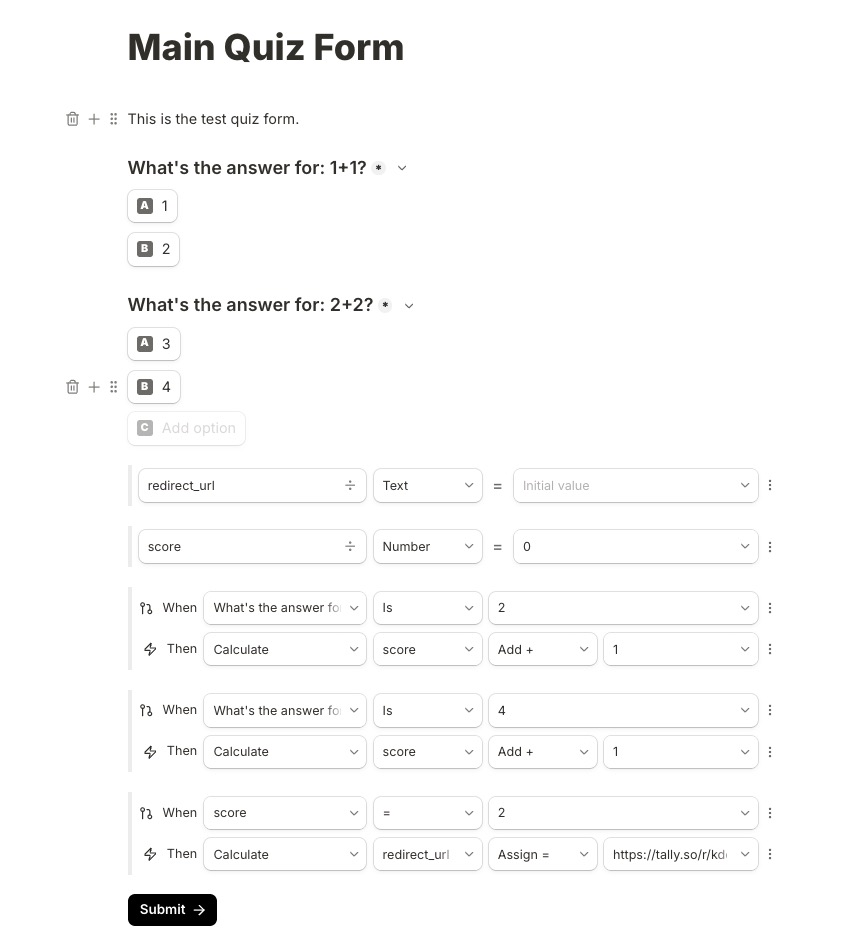
- Add a hidden calculated field called "redirect_url" (Text type, initially empty)
- Add a hidden calculated field called "score" (Number type, initial value: 0)
Configure Scoring Logic
For each quiz question, add a conditional calculation that adds points when the correct answer is selected.
Example scoring rules:
- Question 1 ("What's the answer for: 1+1?"): When answer is "2" → Calculate score: Add +1
- Question 2 ("What's the answer for: 2+2?"): When answer is "4" → Calculate score: Add +1
Configure the Redirect Logic
Set up a conditional rule that assigns the Certificate Claim Form URL to the redirect_url field when the user achieves a passing score.
Redirect rule:
- Condition: When score = 2 (or your passing threshold)
- Action: Calculate redirect_url: Assign = "https://tally.so/r/[YOUR_CLAIM_FORM_ID]", this will be the URL of the "Certificate Claim Form" form.
Part 2: Setting Up CertFusion
Step 1: Connect Tally to CertFusion
- Log in to your CertFusion dashboard
- Choose an existing certificate design template or create a new one
- Navigate to Recipients tab
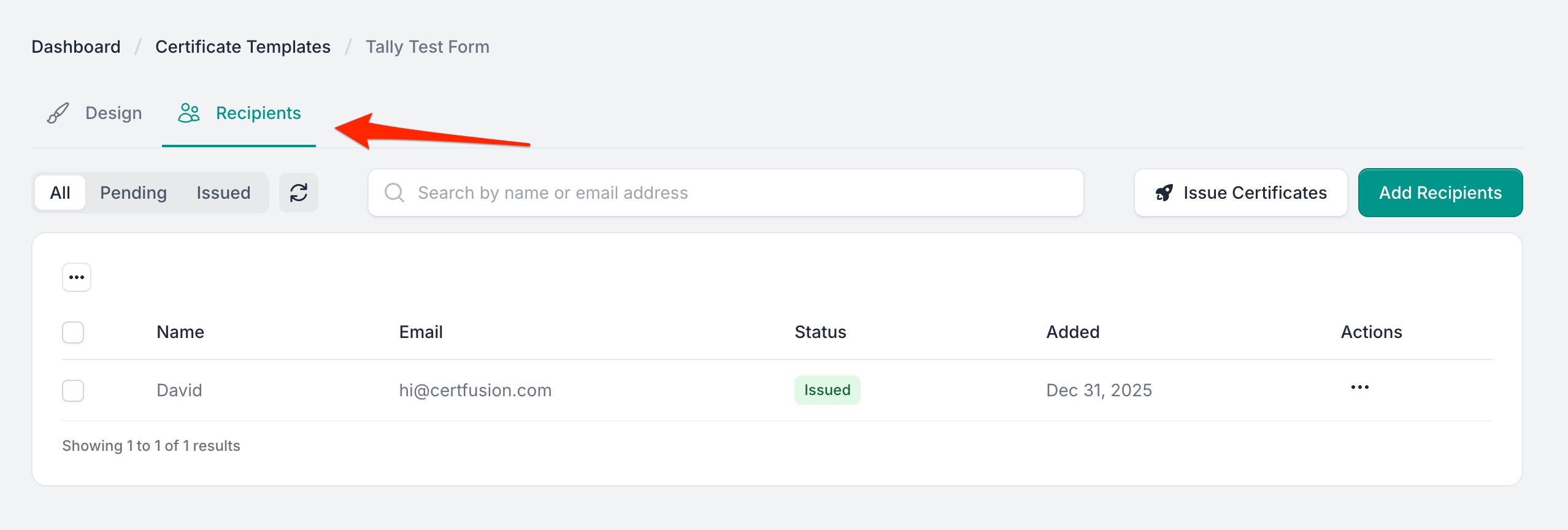
- Click Add Recipients and select the Tally
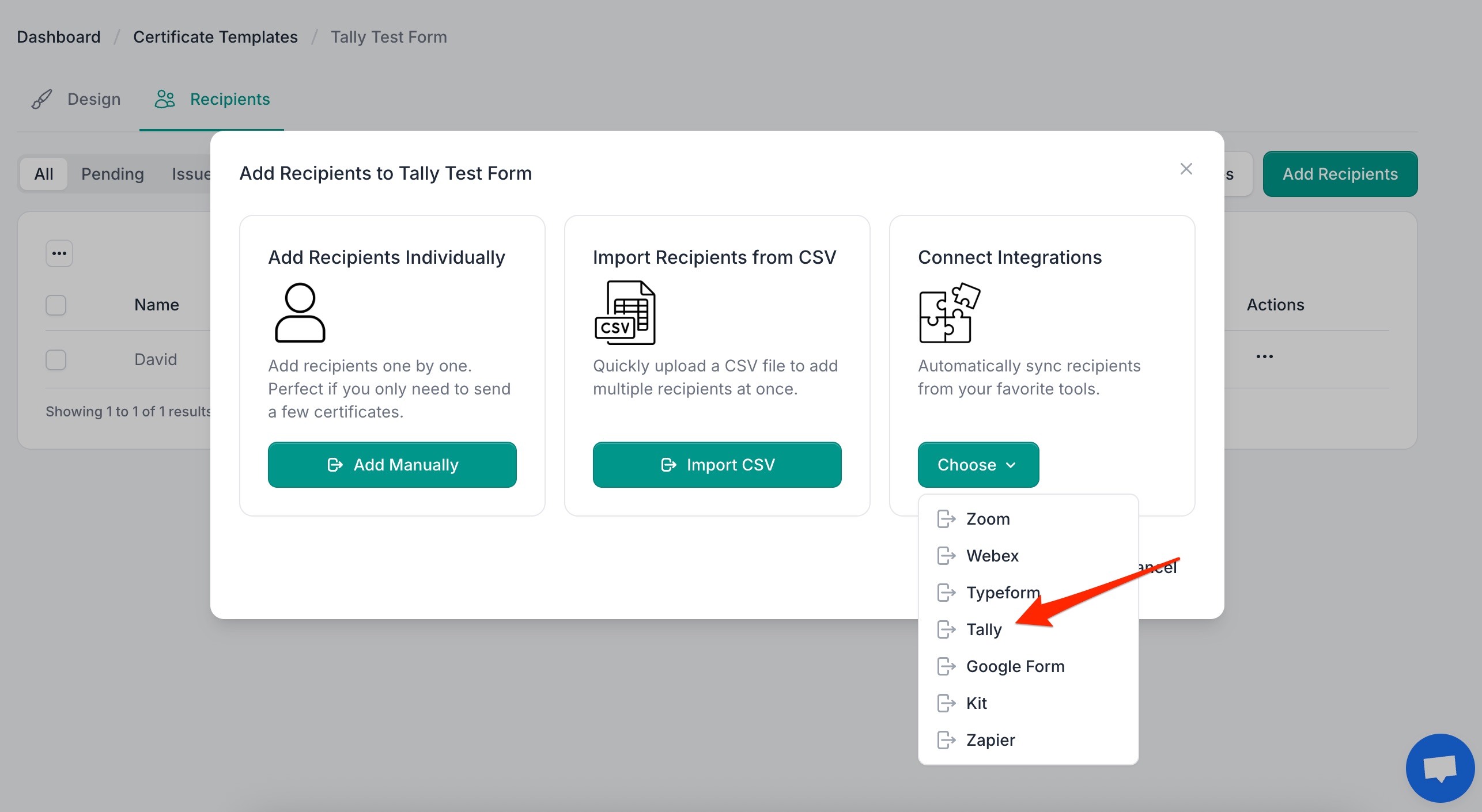
- Connect your Certificate Claim Form (not the Quiz Form)
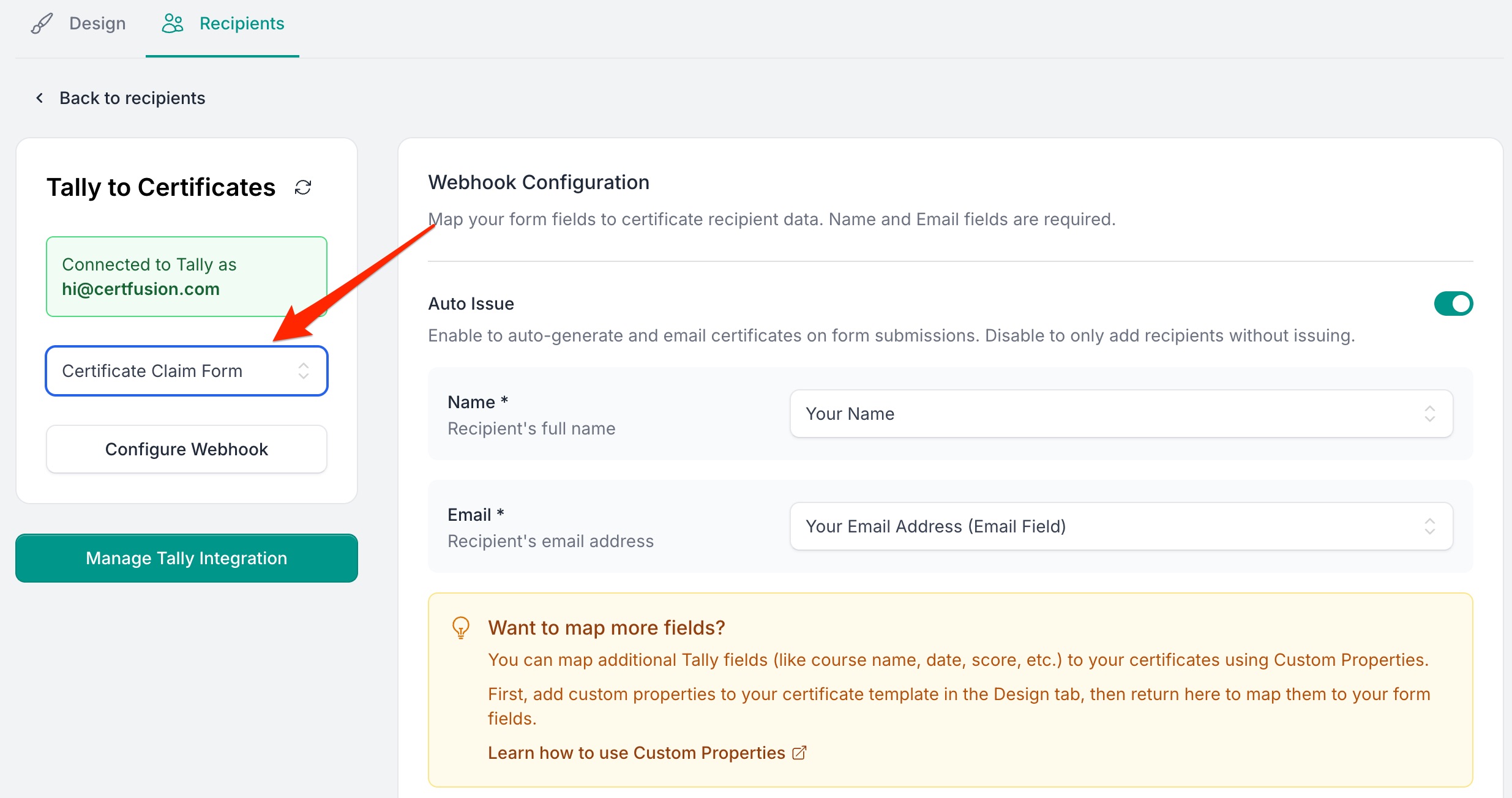
Step 3: Configure Field Mapping
Map the Tally form fields to your certificate template placeholders:
- Your Name → Recipient Name (displayed on certificate)
- Your Email Address → Recipient Email (for certificate delivery)
Save your configuration. CertFusion will now automatically generate and send certificates when the Claim Form is submitted.
Part 3: Testing the Workflow
Test 1: Failing the Quiz
- Open the Main Quiz Form
- Answer questions incorrectly (score below passing threshold)
- Submit the form
- Expected result: No redirect occurs, user sees the default thank you page, and no certificate is issued
Test 2: Passing the Quiz
- Open the Main Quiz Form
- Answer questions correctly (achieve passing score)
- Submit the form
- Expected result: User is redirected to the Certificate Claim Form
- Fill in name and email on the Claim Form
- Submit the Claim Form
- Expected result: Certificate is automatically generated and sent to the provided email
Conclusion
You've now set up an automated certificate issuance system using Tally's free features and CertFusion. When users pass your quiz, they'll be seamlessly redirected to claim their certificate, which CertFusion will generate and deliver automatically.
This workflow is perfect for online courses, training programs, assessments, and any scenario where you want to reward successful completion with a professional certificate.
Table of Contents
Related Articles
Discover more insights and stories that might interest you