How to Generate First Aid Certificates with CertFusion
Issuing first aid certificates manually can be time-consuming, especially if you're running large courses or workshops. CertFusion automates the entire process — from design to delivery — ensuring every participant receives a professional, accurate certificate in minutes.
In this guide, we'll walk you through creating, customizing, and distributing first aid certificates using CertFusion's powerful Template Designer.
Step 1: Choose or Create a Certificate Template
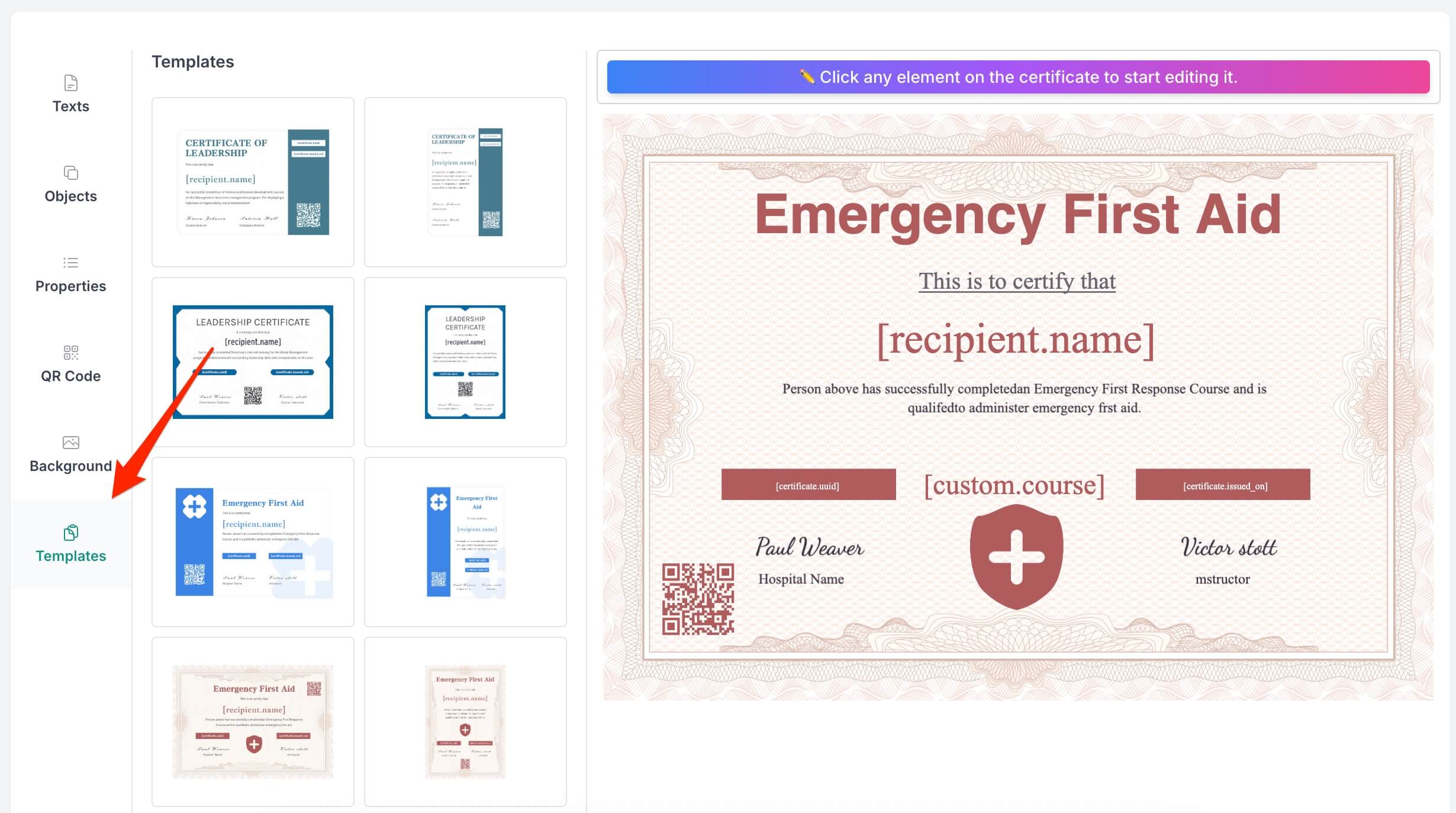
Start by selecting a template from CertFusion's Template Designer. The Templates section offers pre-designed certificate layouts that serve as professional starting points.
To apply a template, simply click on any thumbnail in the template gallery. This will load the background, text elements, formatting, and standard property placeholders — giving you a complete foundation to customize.
Alternatively, you can build from scratch using the Background section. Upload your own background image (recommended dimensions: 3508 × 2480 pixels for landscape certificates) to create a unique design.
Step 2: Customize Your Certificate Design
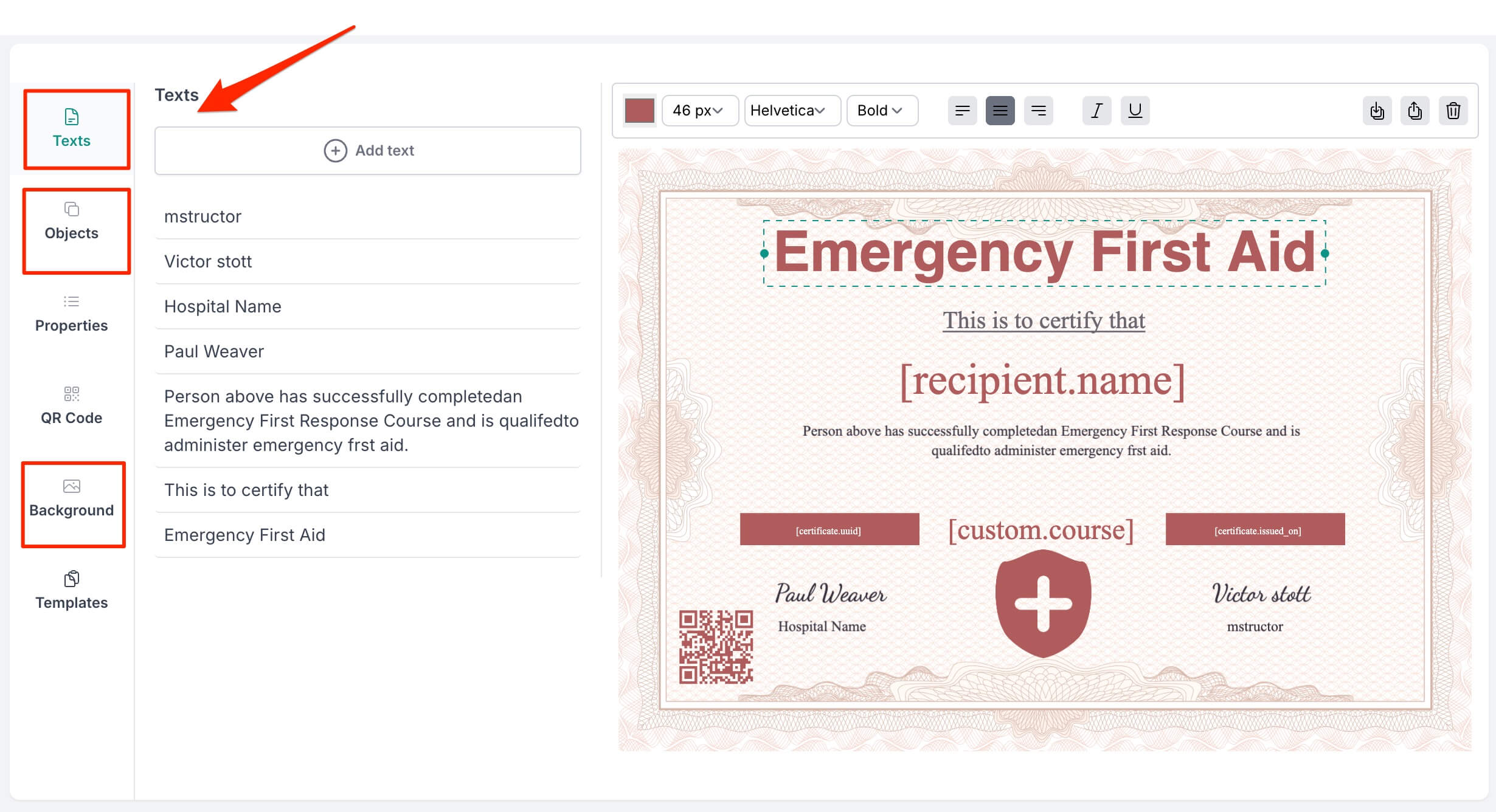
CertFusion's Template Designer makes customization intuitive. Use the six sections in the left sidebar to build your perfect certificate:
Texts — Click "+ Add text" to insert text elements. Select any text on the canvas to adjust font size, font family, weight, alignment, and style using the top toolbar. Typical elements include the certificate title, certification statement, course description, and signatory details.
Objects — Upload your organization's logo, decorative graphics, signature images, or certification seals. Drag and drop files or click "Browse" to add images. Resize and position objects by dragging their corner handles.
Background — Set the visual foundation with a custom background image. Use subtle patterns or borders that don't compete with text, and ensure good contrast for readability.
Step 3: Set Up Dynamic Properties
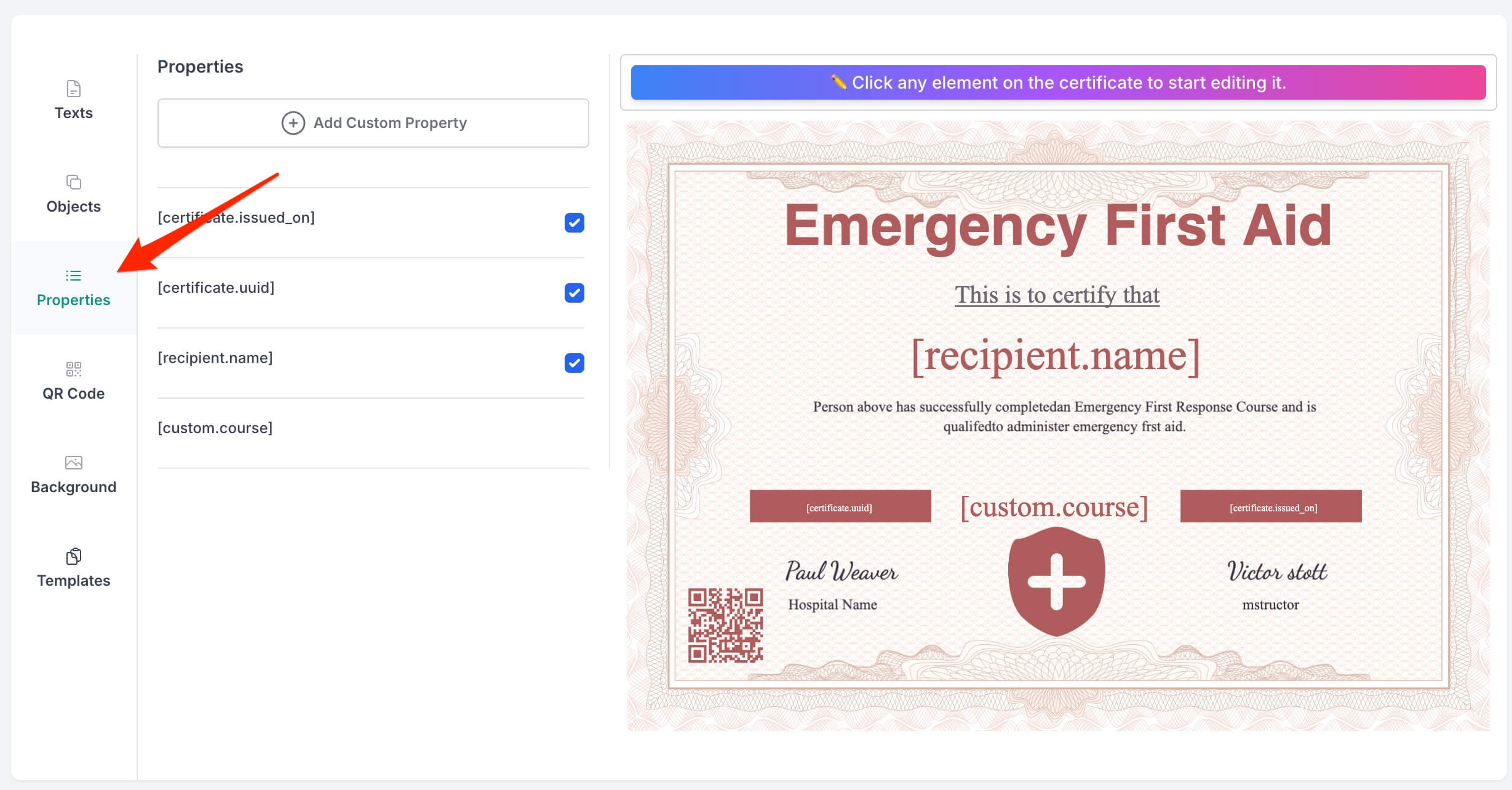
Properties are CertFusion's powerful feature for automating certificate generation. Instead of manually typing each recipient's name, you insert placeholders that automatically populate with participant data.
CertFusion provides three built-in properties:
| Property | Description |
|---|---|
[recipient.name] |
The certificate recipient's name |
[certificate.issued_on] |
The issue date |
[certificate.uuid] |
Unique verification identifier |
For first aid certificates, you'll likely want custom properties. Click "+ Add Custom Property" to create fields like:
[custom.course_name]— "Emergency First Aid at Work"[custom.completion_date]— Course completion date[custom.instructor]— Trainer's name[custom.valid_until]— Certification expiry date[custom.credit_hours]— Training hours completed
Insert these placeholders into your text elements, and CertFusion will replace them with actual data when generating certificates.
Step 4: Add a Verification QR Code
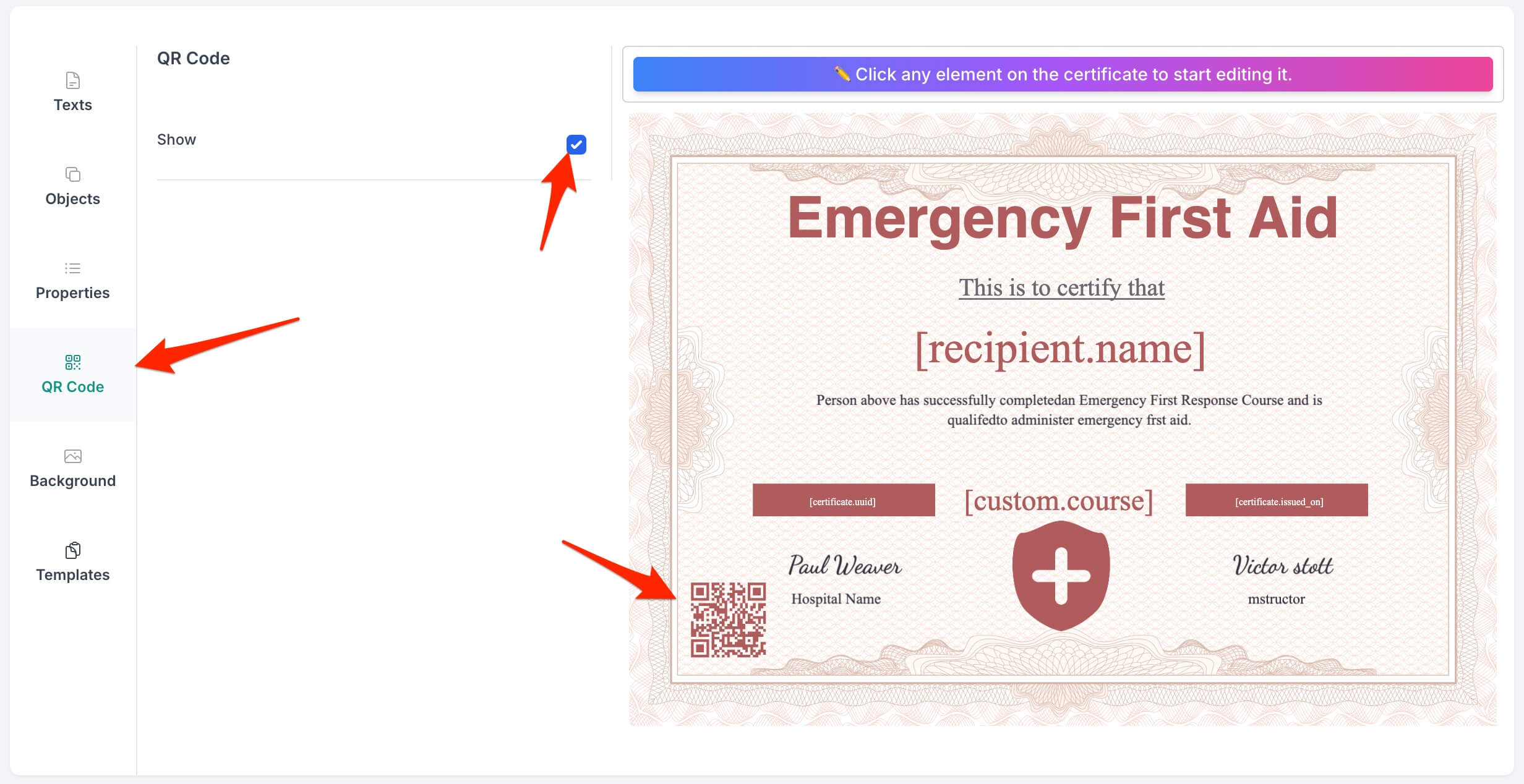
Boost your certificates' credibility by enabling QR code verification. In the QR Code section:
- Toggle the "Show" checkbox to enable the QR code
- Position it by clicking and dragging on the canvas
- Resize using the corner handles (recommended minimum: 100×100 pixels)
The QR code automatically links to each certificate's unique verification page. When scanned, employers or institutions can instantly verify the certificate's authenticity — a valuable feature for first aid credentials.
Place the QR code in a corner where it won't obstruct important information, and always test scanning on a generated certificate.
Step 5: Upload Participant Data and Generate Certificates
With your template ready, it's time to generate certificates:
-
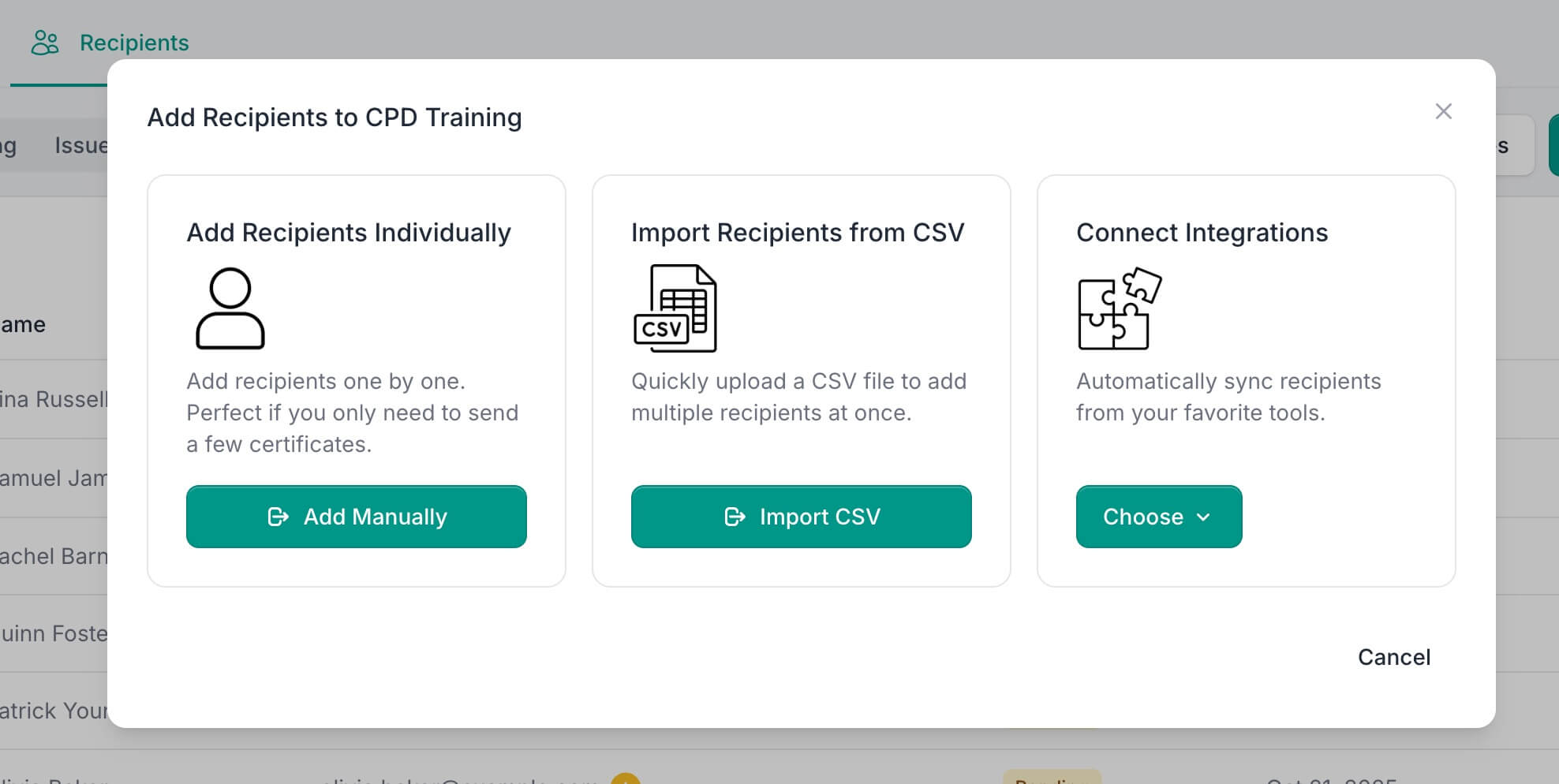
For small courses: Enter participant details manually through CertFusion's interface.
-
For large courses: Upload participant lists via CSV or Excel. CertFusion supports bulk generation, creating certificates for dozens or hundreds of participants in just a few clicks. You can also connect directly through integrations with Zoom, webinar platforms, or automation tools like Zapier and n8n.
CertFusion's canvas engine renders each certificate and exports them as high-quality PDFs — ready for digital delivery or printing.
Before finalizing: Generate a sample certificate to verify all text, logos, properties, and QR codes display correctly.
Step 6: Distribute Certificates
CertFusion offers multiple delivery options:
-
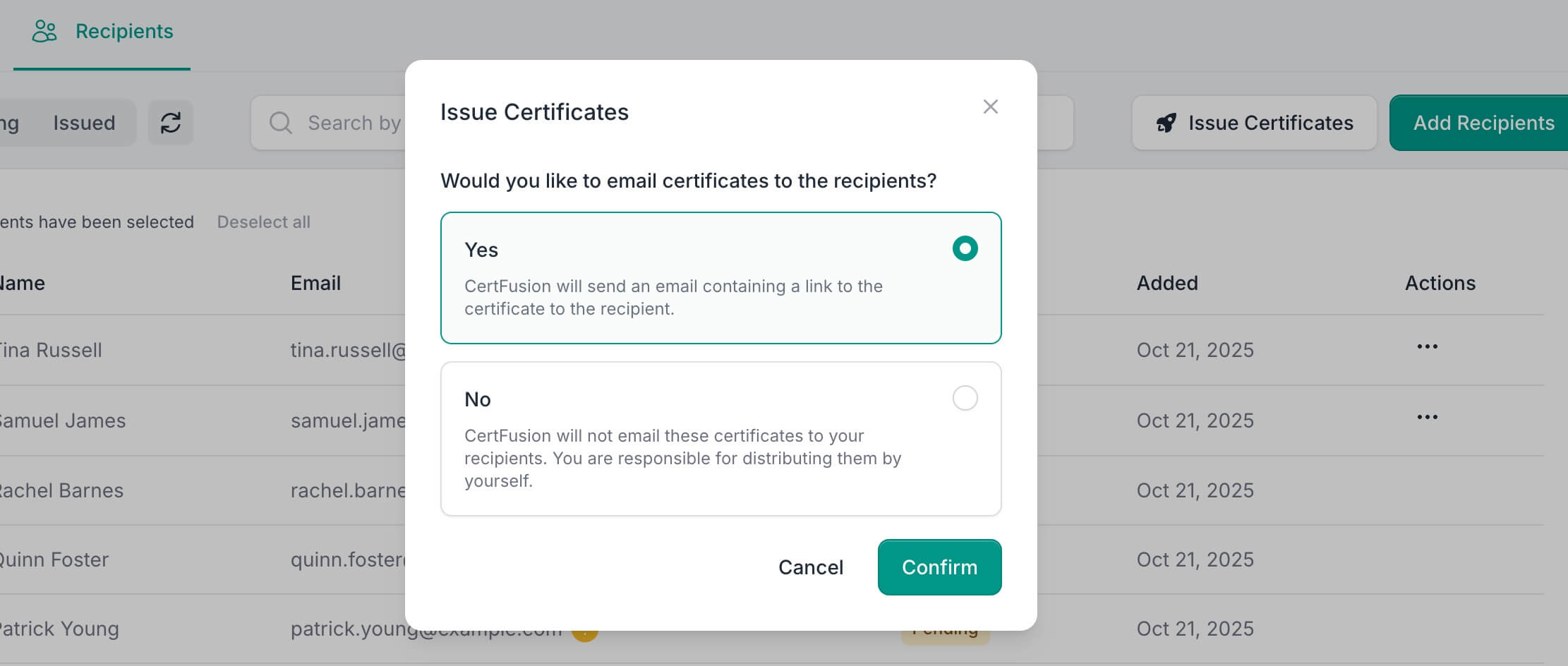
Email delivery — Send certificates directly to participants' inboxes automatically.
-
Bulk export — Download all certificates as PDFs for printing on high-quality paper or cardstock.
Benefits of Using CertFusion for First Aid Certificates
CertFusion streamlines the entire certificate lifecycle:
- Saves hours compared to manual editing in Word or PDF software
- Eliminates errors through automated data population
- Professional results every time with consistent, polished designs
- Scales effortlessly from single certificates to bulk generation
- Enhances credibility with QR verification and official branding
- Flexible delivery supporting digital, print, and integrated distribution
Getting Started
Creating professional first aid certificates has never been easier. With CertFusion's Template Designer, you can design once and generate unlimited certificates — each personalized with participant data and verification features.
Start today and transform your certificate process from hours of manual work to minutes of automated generation.
Table of Contents
Related Articles
Discover more insights and stories that might interest you