New Feature: Duplicate Certificate Templates
Save time and streamline your workflow with the new Duplicate Template feature in CertFusion.
Overview
Creating variations of your certificate designs just got easier. Instead of building new templates from scratch, you can now duplicate any existing template with a single click—preserving all your carefully crafted designs, layouts, and settings.
How It Works
Step 1: Navigate to your Certificate Templates and click the three-dot menu on any template card.
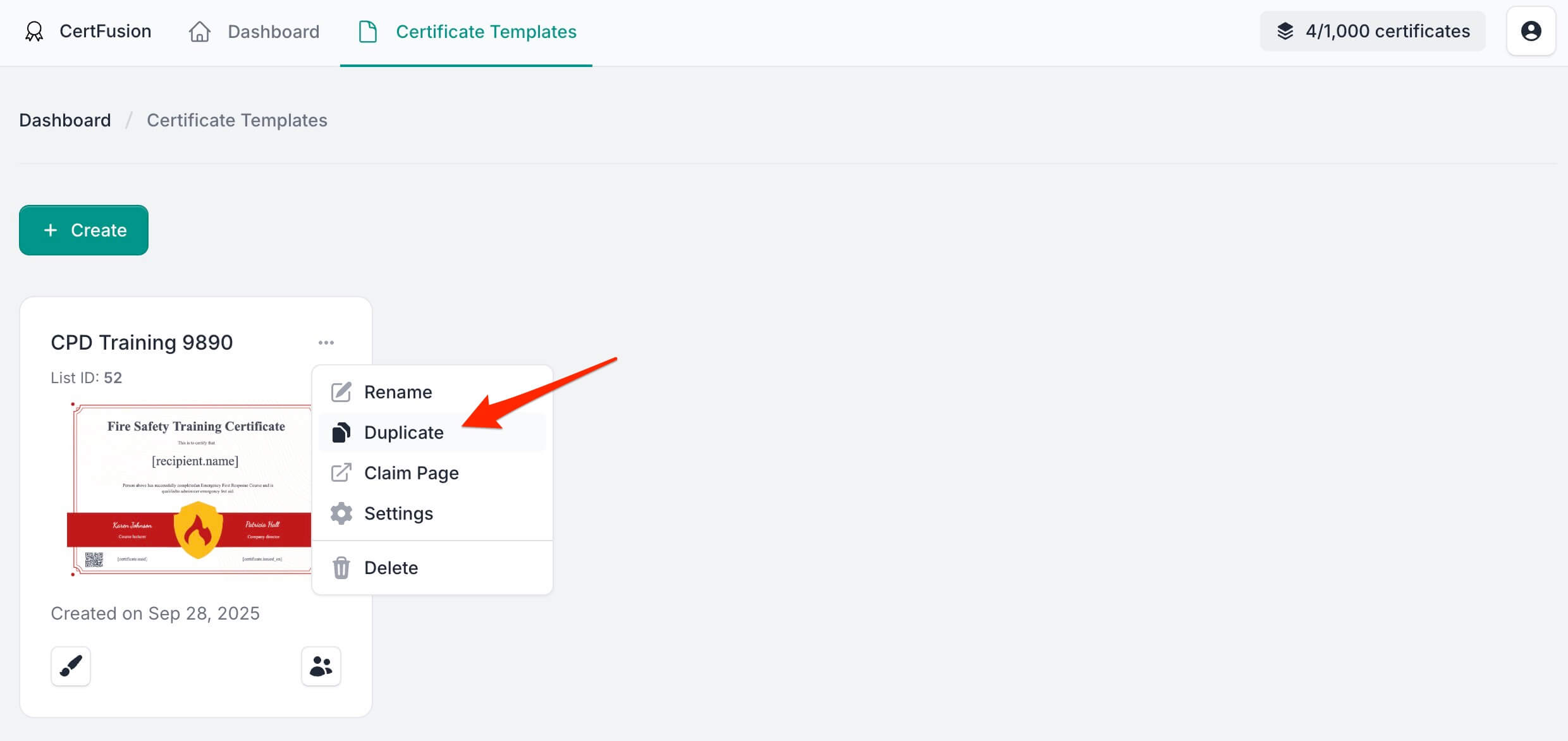
Step 2: Select "Duplicate" from the menu. A confirmation dialog will appear showing the new template name (automatically prefixed with "Copy of").
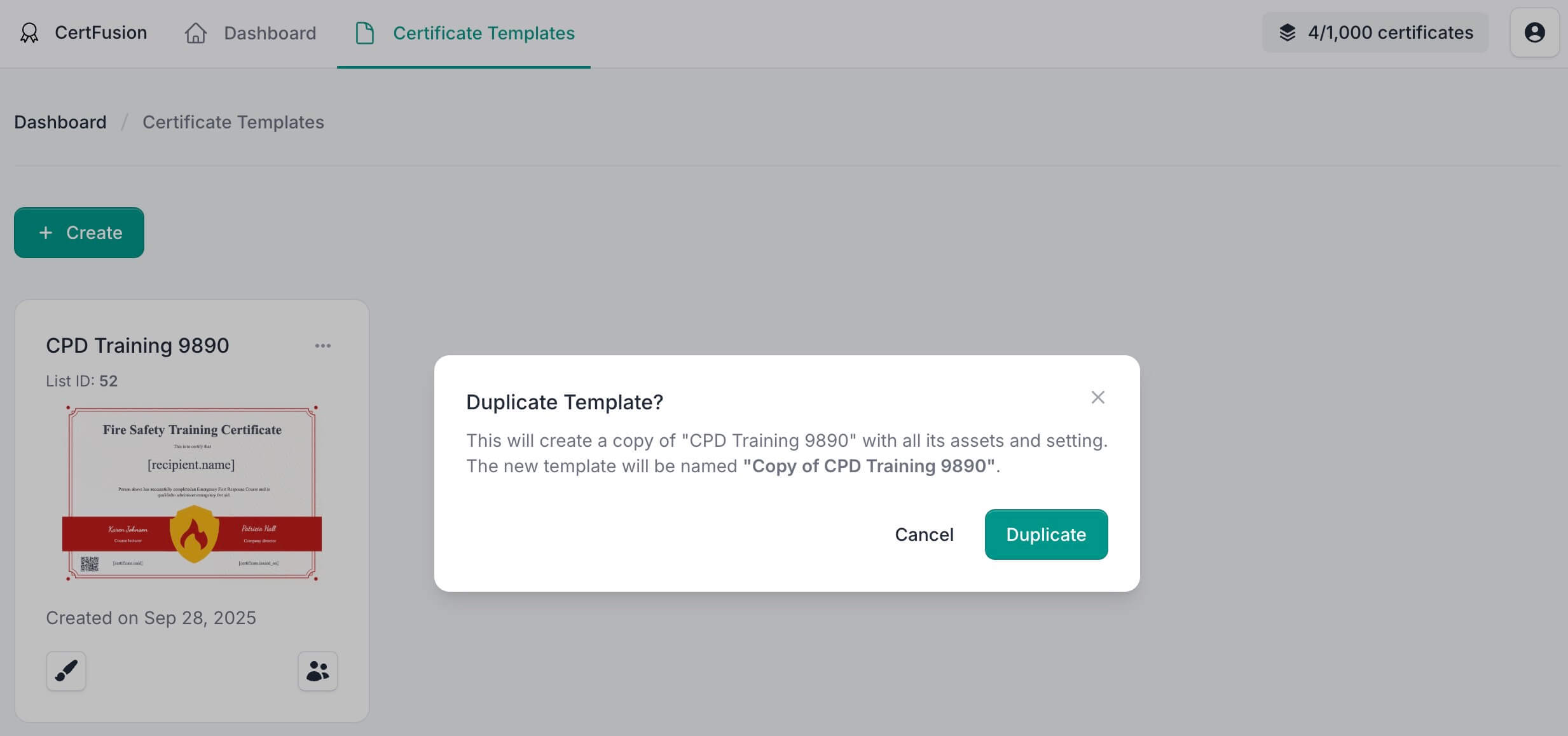
Click Duplicate to create your copy. The new template appears in your list, ready for customization.
What Gets Duplicated
When you duplicate a template, CertFusion copies everything:
- Background image
- All text elements and their formatting
- Custom properties
- Objects, logos, and graphics
- QR code settings
- Template configuration and settings
Getting Started
Head to your Certificate Templates page and try it out. Click the menu on any template and select Duplicate to create your first copy.
Questions or feedback? We'd love to hear from you.
Table of Contents
Related Articles
Discover more insights and stories that might interest you