Certificate of Attendance for Conferences, Seminars & Webinars
Attending conferences, seminars, and webinars is an important way for professionals and students to gain knowledge, network, and enhance their skills. Providing a Certificate of Attendance for participants not only acknowledges their effort but also adds credibility and professionalism to your event.
Whether you’re hosting an in-person seminar, a multi-day conference, or an online webinar, this guide will help you create certificates that are polished, professional, and easy to distribute.
Why Issue a Certificate of Attendance?
Certificates of Attendance serve several purposes:
- Recognition: They formally acknowledge a participant’s time and engagement.
- Professional Credibility: Certificates can be added to resumes or LinkedIn profiles.
- Event Branding: A well-designed certificate reinforces your organization’s professionalism.
- Compliance & Records: Some industries require attendance proof for continuing education or credits.

Key Elements of a Conference or Webinar Certificate
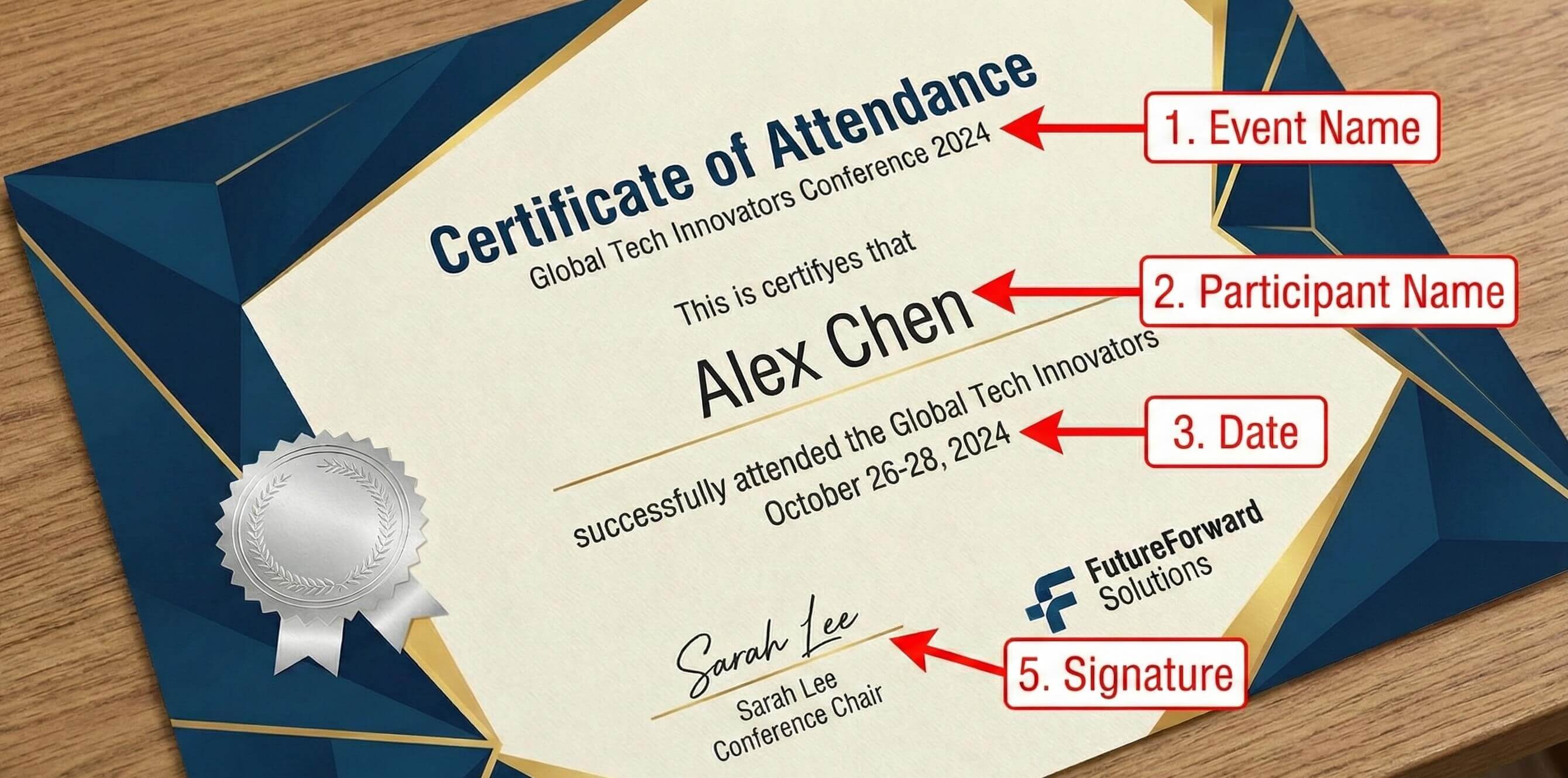
When designing your certificate, make sure to include:
- Event Name – Clearly display the name of the conference, seminar, or webinar.
- Participant Name – Leave a space for personalized names or use automated generation if distributing digitally.
- Date & Duration – Include the date(s) of the event and total hours if relevant.
- Organizer or Speaker Name – Credibility comes from recognizable names or institutions.
- Signature & Seal – Adds authenticity and professionalism.
- Design & Branding – Incorporate your logo, colors, and style for consistency.
Sample Wording Ideas
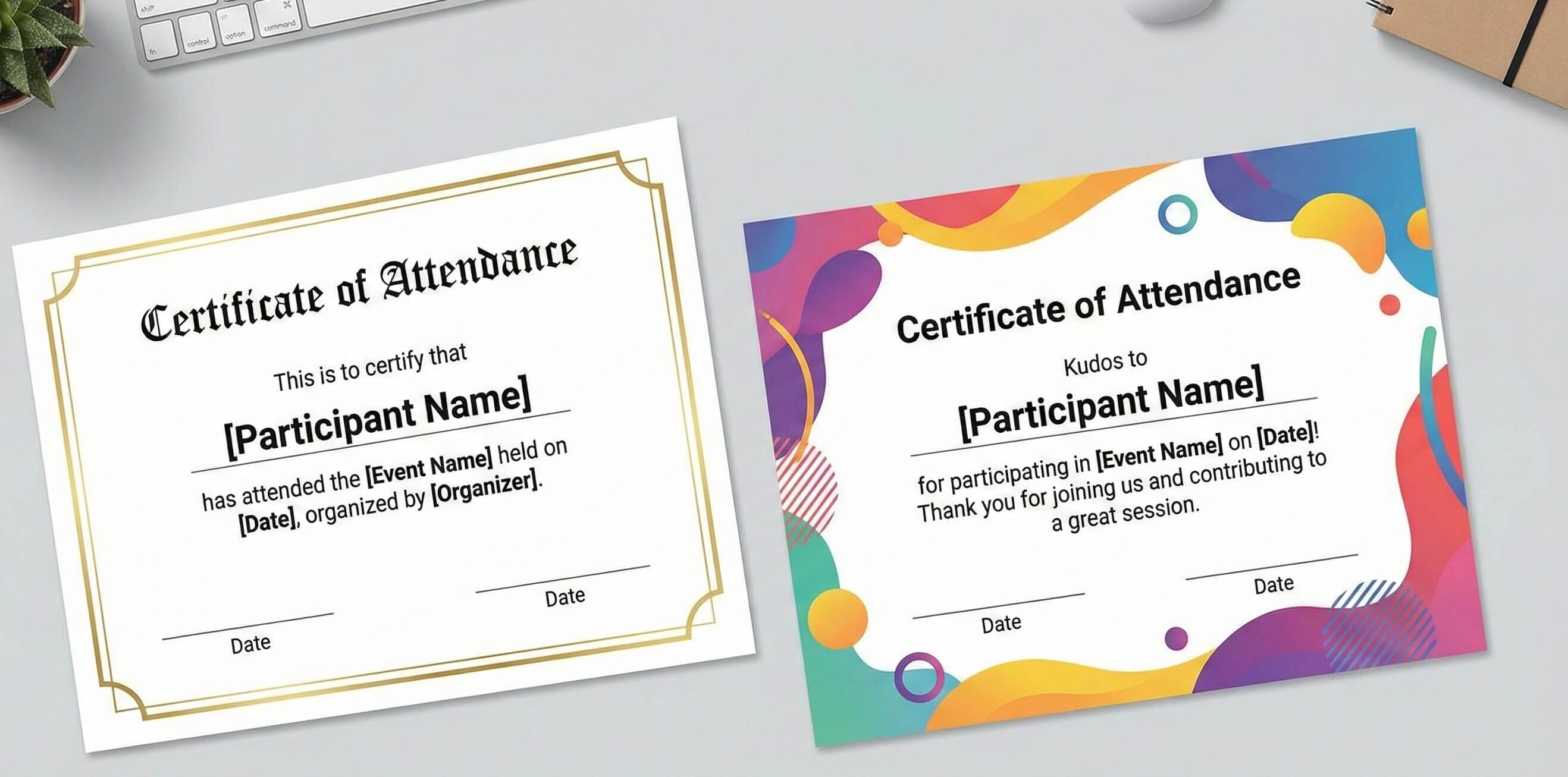
Here are a few wording examples you can use:
Formal:
This is to certify that [Participant Name] has attended the [Event Name] held on [Date], organized by [Organizer].
Casual / Modern:
Kudos to [Participant Name] for participating in [Event Name] on [Date]! Thank you for joining us and contributing to a great session.
Creating Certificates for Online Webinars
For virtual events:
- Use a digital certificate generator to automate personalization.
- Export certificates as PDFs for easy emailing.
- Consider including QR codes or unique IDs to verify authenticity.
- Ensure your design is print-friendly for participants who want a physical copy.

Tips for Distribution
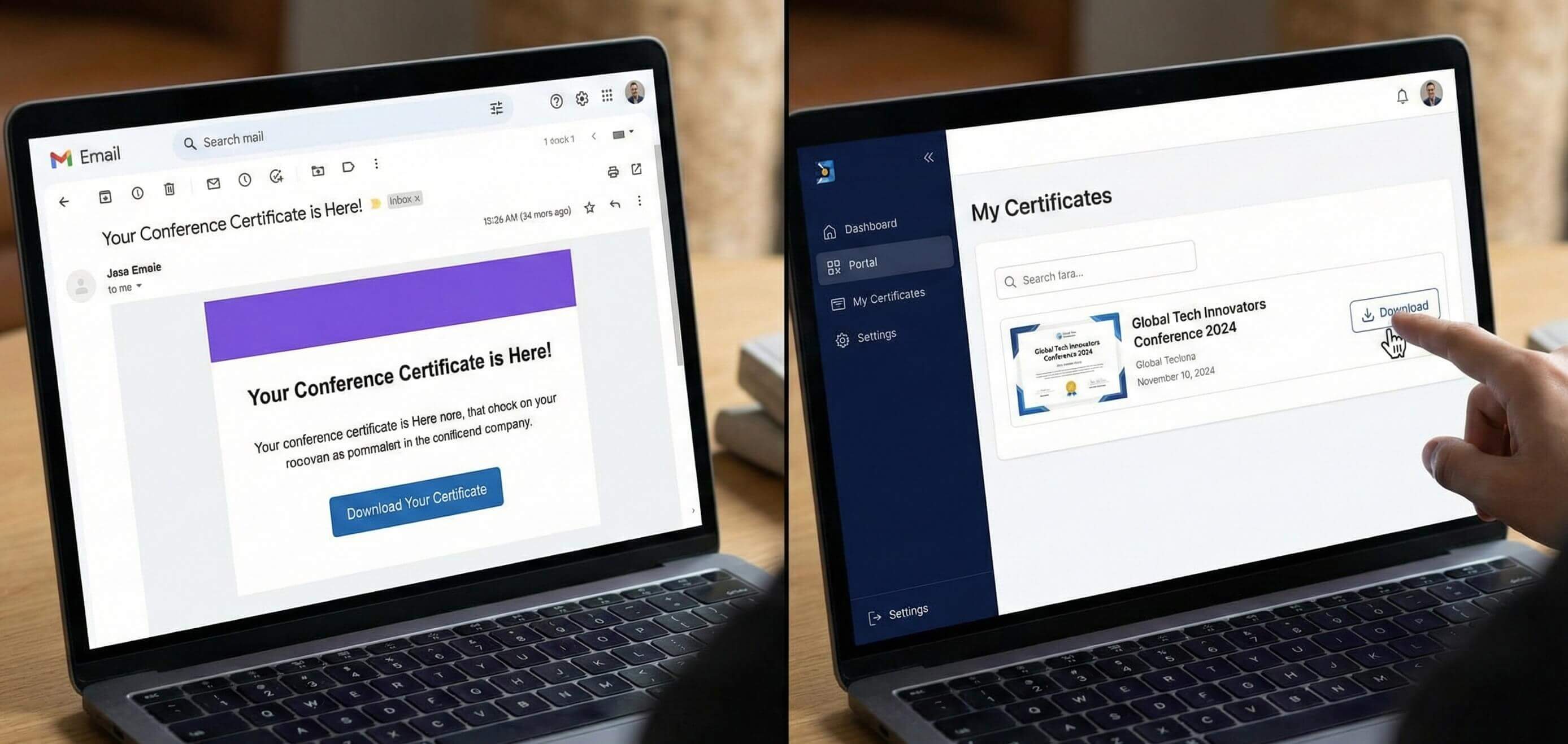
- Before the Event Ends: Mention certificates early to boost attendance and engagement.
- Email Delivery: Send PDFs with a personalized greeting and download link.
- Post-Event Portal: Provide certificates through a member portal for easy access.
- Social Sharing: Encourage participants to share their certificates on LinkedIn or social media.
Free Templates and Inspiration
If you want to quickly create your own certificates, check out our Attendance Certificate (Free Templates) hub. It’s packed with editable templates, examples, and design ideas for conferences, seminars, and webinars.

Final Thoughts
Issuing a Certificate of Attendance is more than just a piece of paper—it’s a way to recognize effort, strengthen your brand, and provide participants with a tangible takeaway from your event. With the right design, wording, and distribution method, your certificates can leave a lasting impression and enhance your event’s professionalism.
Table of Contents
Related Articles
Discover more insights and stories that might interest you